✨ Features
A quick overview of what Shiru offers, from anime discovery and list management to video playback and customization.
🎥 Anime Discovery & Library Management
Embark on a journey through anime discovery, where seamless integration and advanced filtering redefine your experience.
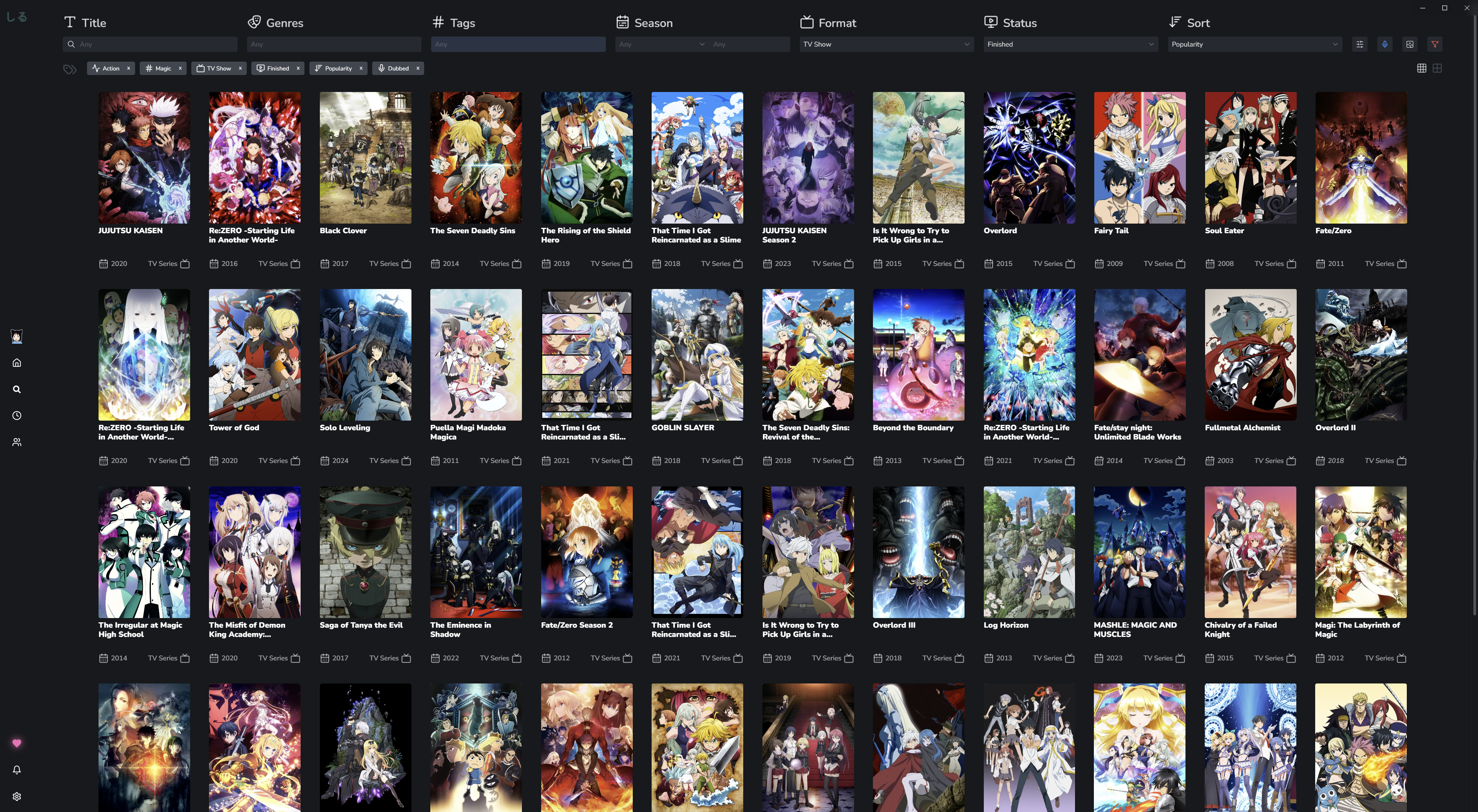
Find Anything
Filter content by name, genre, tags, season, year, format, or status. Search supports multiple simultaneous genre and tag selections. Clicking or tapping active filters allows you to remove them individually. Genre and tag exclusions are supported by prefixing with ! (e.g. !Action). Most dropdowns also support exclusions by alt-clicking or tap-and-hold on the selection to exclude it from the search. A custom search option using the * identifier lets you force-search genres and tags not explicitly listed.
Results from your own watch lists are handled locally with fuzzy search support, meaning typos won't stop you from finding what you're looking for.
Track Your Progress
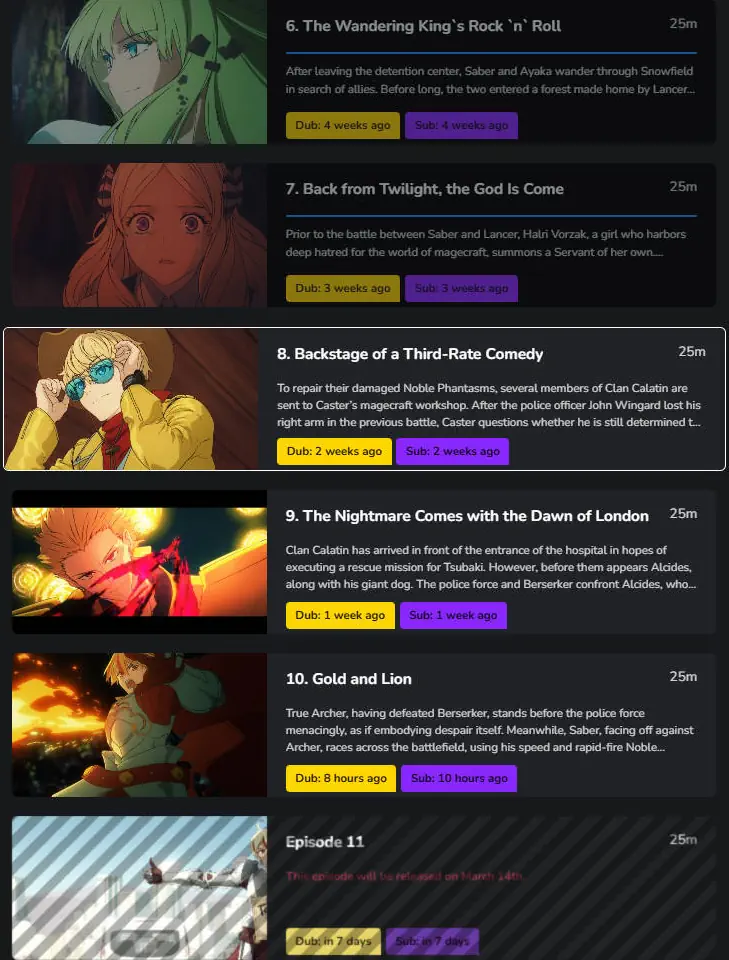
Keep tabs on your watch progress effortlessly. Shiru automatically remembers where you left off and resumes playback from the correct episode. Completed episodes are dimmed in feeds so you can quickly identify what you have and haven't watched.
Discover New Series
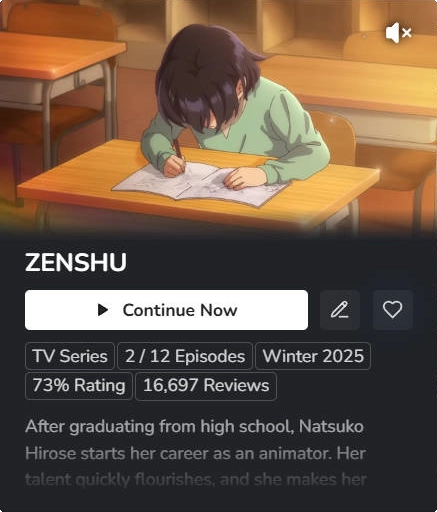
Explore new titles, watch trailers directly in the app, set favorites, add to your lists, and browse recommendations and related series. Image search lets you identify anime by picture when you can't remember the title.
See What's Next
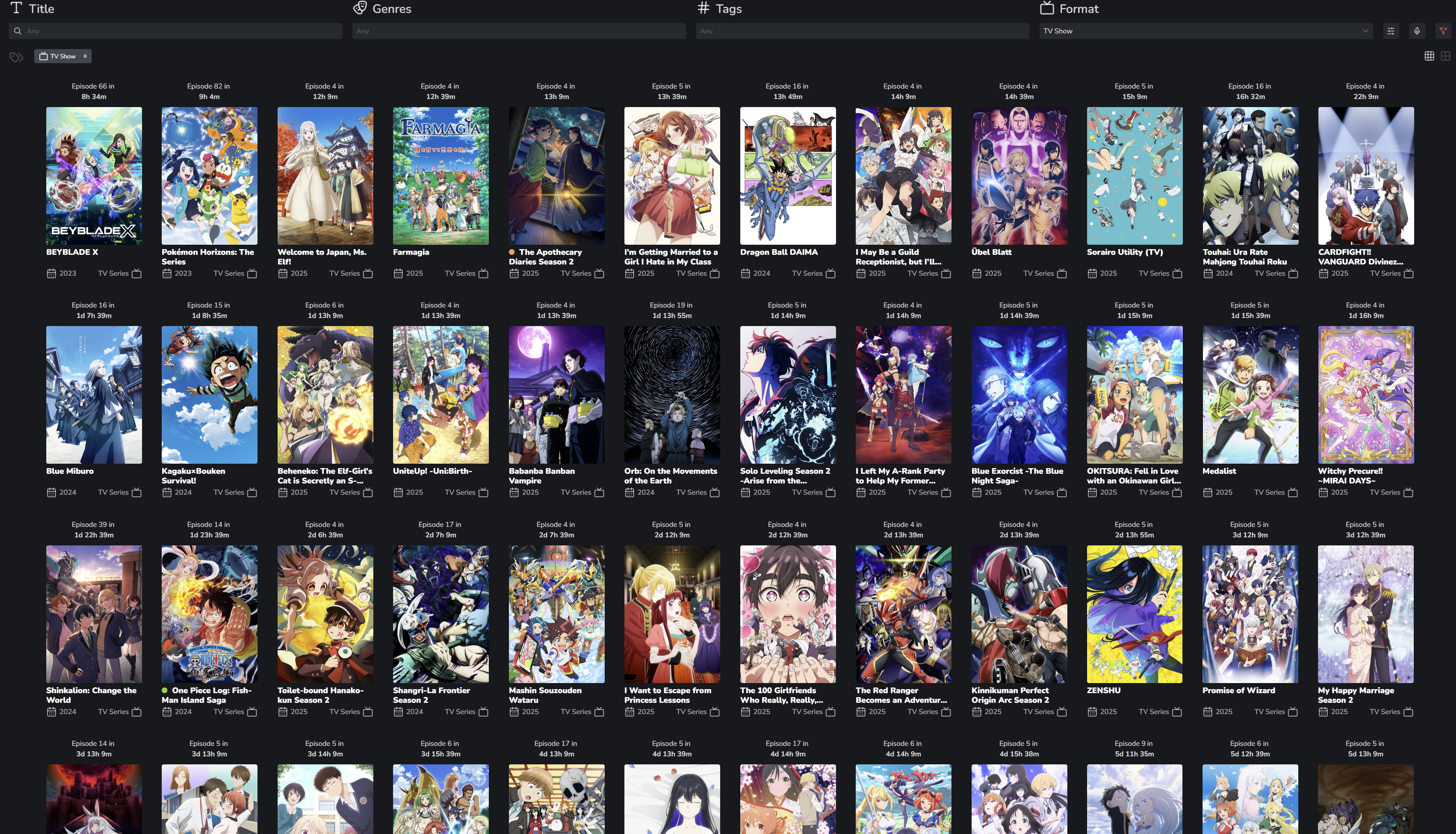
View upcoming releases and airing schedules so you never miss a new episode. The schedule page supports a Dubbed Audio toggle that swaps sub air times to dub air times for currently airing dubbed series, and countdowns update live every minute. Series currently airing are visually indicated in real time.
Stay Connected
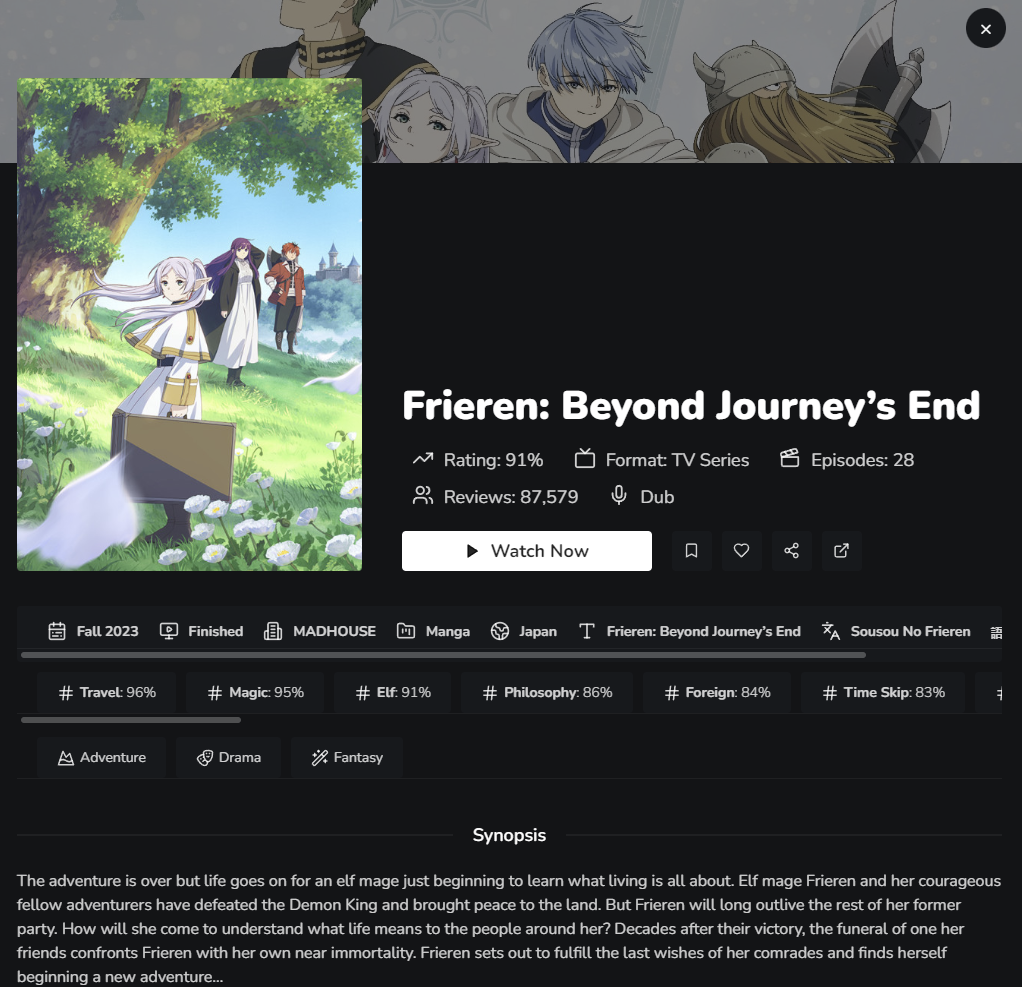
Browse sequels, prequels, and side stories organized by release year. View recommendations and explore related entries you might have missed with the Sequels You Missed and Stories You Missed home sections. Jump directly between related entries from the anime details view, making it easy to continue a series without ever losing your place.
Content Settings
By default, adult and hentai content are hidden to keep the experience clean out of the box. Enabling Adult Content in settings unlocks 18+ series across search and discovery. Enabling Hentai Content goes a step further by additionally including hentai.
Personalized Search
Filters and search state are automatically saved across both the search and schedule pages, restoring exactly as you left them when you reopen the app. Use the Hide My Anime toggle to filter out series already on your lists, or alt-click (tap-and-hold on mobile) to flip it and show only your anime. Both behaviors work across search and the schedule page, making it easy to browse fresh titles or navigate your existing library.
🪄 AniList & MyAnimeList Integration
Shiru provides integration with both AniList and MyAnimeList, letting you manage everything without ever leaving the app.
- Filter by name, genres, tags, season, year, format, and status
- Built-in list editor to add, update, and remove entries from your lists
- Automatically mark episodes as completed after watching
- Cross-platform list syncing, AniList and MyAnimeList accounts can be linked so progress updates on both simultaneously
- Rate and score anime with proper score calculation for both platforms
- Watch trailers and previews directly in the app
- Explore related anime, recommendations, and side stories
- Image search to find and identify anime by picture
- Preferred title language setting (English or Japanese) for users not logged into AniList
- Paste AniList or MyAnimeList links directly into the app to instantly open the anime view
🎤 Dub & Sub Tracking
Shiru has one of the most thorough dub tracking systems available. Each series independently tracks its sub and dub release schedules, with per-episode audio labels showing exactly what is available and when.
- Prefer Dubs - hides series from continue watching if your progress matches the latest aired dub and becomes visible automatically when the next dub drops. If your progress exceeds the latest dub, Shiru assumes you are watching subbed and adjusts accordingly
- Dubbed Audio filter - narrows the search page to only show dubbed series, and toggles the airing schedule to display dub air times instead of sub air times for currently airing dubbed series
- Dub, Sub, and Hentai release feeds - live feeds sorted by newest release so you never miss a drop
- Dub and Sub notifications - separate scheduling and tracking for both, including delayed, indefinitely delayed, and batch release announcements. With Prefer Dubs enabled, notifications are only sent when a dubbed episode is available, falling back to sub only if no dub exists for the series
- Audio labels on cards, episode lists, and the banner showing Dub, Sub, or Dual Audio status
🔔 Notifications
- Real-time alerts for new sub, dub, and hentai episode releases
- Delayed and indefinitely delayed episode notifications
- Series announcement notifications for upcoming anime
- In-app notification tray that tracks all alerts regardless of system notification settings, with color-coded gradients per series based on your list status for easy at-a-glance tracking
- Notifications auto-marked as read when the relevant episode is watched
- Notification filtering by list status so you only get alerted for what you care about
- Notification search bar to filter the tray by title
- Action buttons on notifications to jump straight to watching or viewing the anime details
🎭 Multiple Profiles
- Up to 6 profiles, each with its own library, settings, and watch list state
- Optional cross-profile sync, watching on one profile can automatically update linked profiles
- Library state is automatically restored when switching profiles
- Each profile has its own Discord Rich Presence state, preventing activity from leaking between profiles
- All interface settings, home layouts, and preferences are profile-specific
🏠 Customizable Home Page
- Fully customizable home page with user-built sections based on custom genres, tags, and search queries
- Definable sorting and format options per section
- Built-in sections include: Continue Watching, Rewatching, Sequels You Missed, Stories You Missed, Upcoming Next Season, Dub Releases, Sub Releases, Hentai Releases, and more
- Home sections update automatically when modified in settings without requiring an app restart
- Sections support drag-scroll on desktop for smooth horizontal browsing
📡 Offline Support
- Previously seen media, watch history, and your library are fully accessible offline
- Local file playback and media resolving work entirely without an internet connection
- The app detects AniList outages and falls back to offline mode automatically, allowing search, viewing, playback, and schedule access for anything previously loaded
- Cached media covers recommendations, relations, episode lists, and series details
🌐 Extension-Based Content Fetching (Optional)
Out of the box, Shiru plays files you already have locally. Extensions unlock additional content fetching for legally owned media, such as accessing your own personal media server remotely.
- Automatic series and episode detection from file names
- Support for custom RSS feeds and resolution preferences
- Adjustable network speeds
- Dynamic extension loading, with results appearing as each extension completes rather than waiting for all to finish
- Extension results are cached for approximately two minutes for fast re-opens
- Error cards are shown when an extension fails to return results, with details on why
- Build or install custom extensions to connect your own content sources
🎬 Video Playback
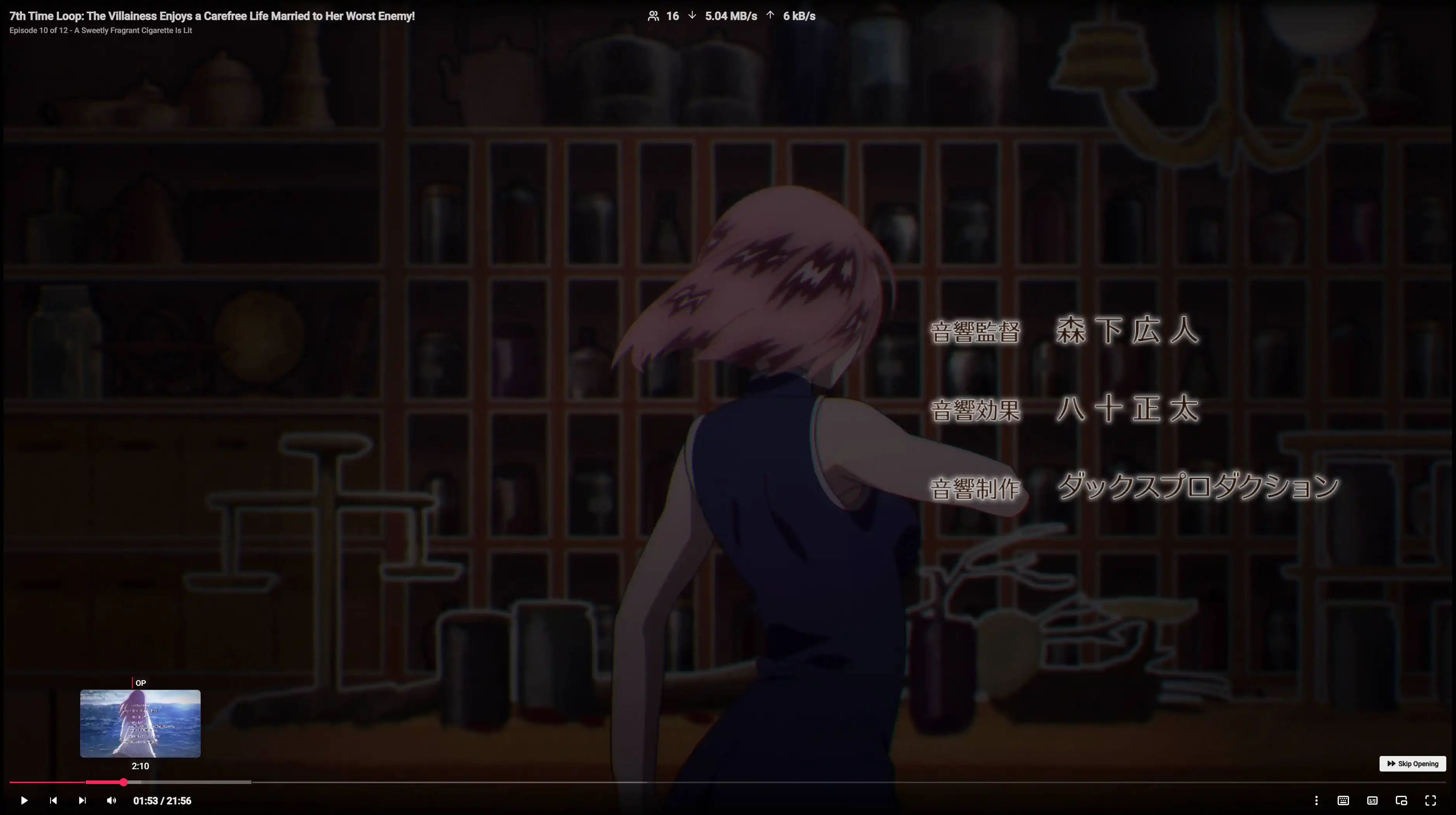
Playback
- Near-instant local file playback with no transcoding or compression
- Automatic thumbnail generation as files buffer, making timeline scrubbing easy even without chapters
- Chapter-aware seekbar with progress indicators, watched episode highlights, and skippable sections (OP, ED, intro, credits, recap, filler)
- Filler and recap detection with a prompt to skip or continue with a single click
- Autoplay next episode with fast episode transitions
- Multi-audio track support with descriptive labels
- Picture-in-Picture (PiP) mode for multitasking
- Miniplayer with drag, resize, and auto-hide on pause
- Volume boost beyond 100% (desktop)
- External player support on both Android and desktop, with progress tracking
- Interface scaling slider for adjusting the size of UI elements globally
- Extended codec support on desktop (Windows, Linux, macOS) including HEVC, DTS, MLP, TrueHD, E-AC3, AC3, and more
Discord Rich Presence
- Shows what you are currently watching, including title, episode, and live playback progress
- Displays a paused state when playback is paused
- Shows a browsing state when you are navigating the app without actively watching
- Fully toggleable per profile
Video File Manager
Accessible from the player via the H keybind, the file manager lets you:
- View all files in your current library grouped by series, sorted by season and episode number
- Manually correct misidentified series names and episode numbers
- When a file fails to identify, a prompt appears asking if you want to correct it or continue watching
- Manual corrections are reflected immediately without needing to re-open the manager
💬 Subtitle Support
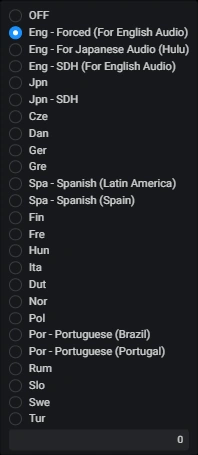
- Softcoded and external subtitles: VTT, SSA, ASS, SUB, TXT
- Per-series subtitle memory, with your preferred track saved and matched automatically across different versions of the same series
- CJK glyph fallback using Noto Sans for missing characters
- Subtitle file selector directly in the player, no copy/paste required
- Fuzzy subtitle track matching by track name when language metadata is missing
- Cycle through subtitle tracks with a single key (
C)
🎮 Keybindings
All keybinds are fully customizable via drag-and-drop in the keybinds UI (`). Changes take effect immediately.
| Key | Action |
|---|---|
S |
Skip opening (seek forward 90s) |
R |
Seek backwards 90s |
→ / ← |
Seek forward / backward 2 seconds |
↑ / ↓ / Scroll |
Increase / decrease volume |
M |
Mute |
C |
Cycle subtitle tracks |
F |
Toggle fullscreen |
P |
Toggle Picture-in-Picture |
N / B |
Next / previous episode or file |
O |
View anime details |
V |
Toggle volume limit boost |
[ / ] |
Increase / decrease playback speed |
\ |
Reset playback speed |
I |
Show video stats |
H |
Open file manager |
, / Shift+, |
Subtitle delay -0.1s / -1.0s |
. / Shift+. |
Subtitle delay +0.1s / +1.0s |
` |
Open keybinds editor |
📱 Mobile (Android)
- Full landscape and portrait support with proper safe area handling for camera notches
- Immersive fullscreen during playback
- External player integration with progress tracking and battery optimization handling
- Native in-app updater matching the desktop update experience
- Drag-scrollable home sections
- Expandable or scrollable list toggle for relations and recommendations
- Advanced search button on small screens to keep the UI clean
- Export and persist debug logs across app restarts for troubleshooting
🖥️ Simple and Intuitive
Navigate your library with ease. No complex setups or hidden options. Just fast and reliable playback out of the box.
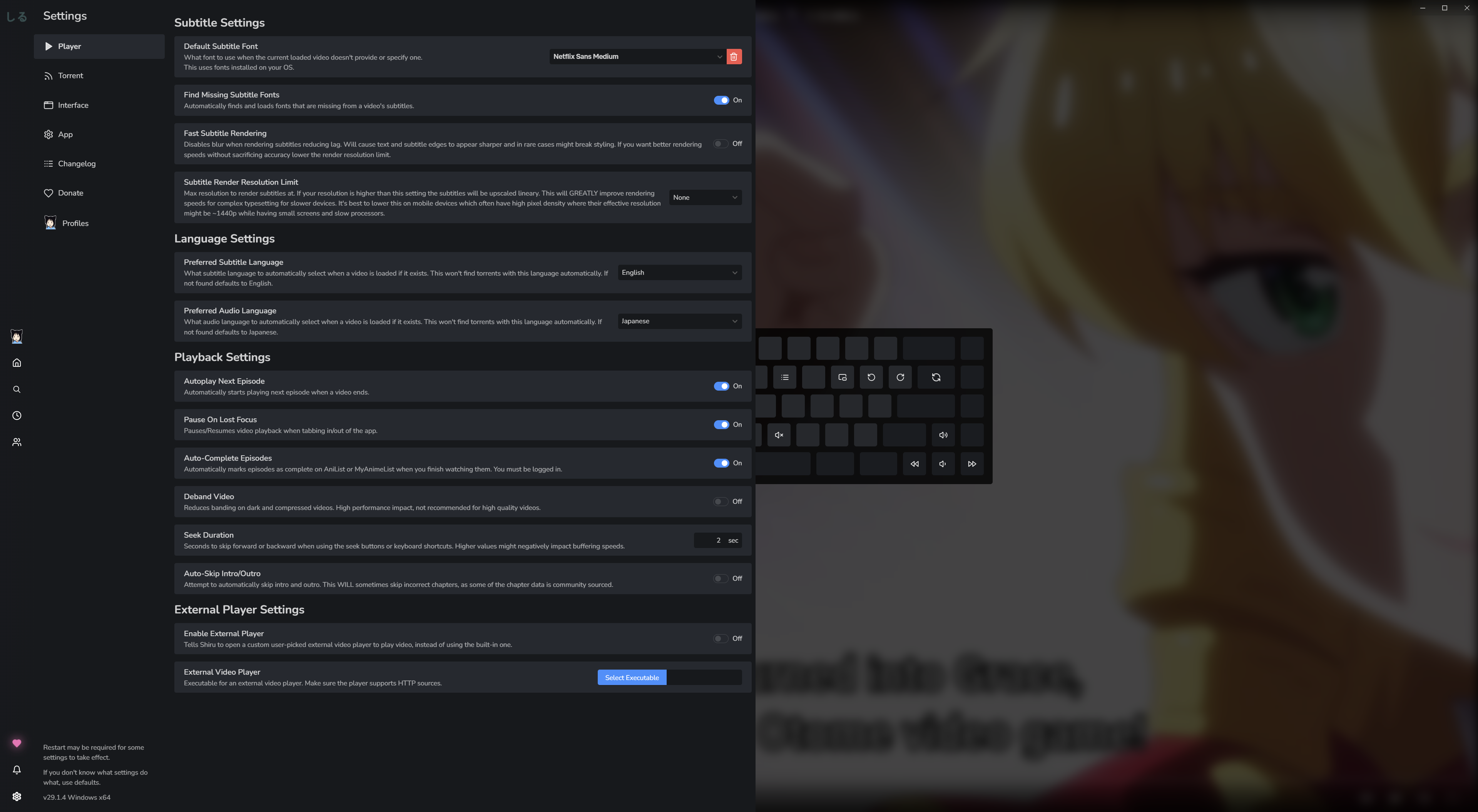

A personal anime library manager for watching and tracking your collection in real time.
Lightweight, powerful, and paws-itively fast. No waiting required.




Shiru does not host, distribute, or provide media content. All media must be legally owned by the user.
